
Copy & paste into your framework


Convert live page
into Tailwind CSS
Google Chrome extension that helps you convert a real page, capture the right fragment, and keep moving with Tailwind CSS instead of rebuilding the whole component from scratch.
Why use Tailfind?
Improve your interface development flow
Useful popover keeps interaction attached to the selected element
The inline popover keeps key actions close, letting you refine selection and export the right fragment faster. The same actions are available as keyboard shortcuts, so you can keep moving without leaving the selection flow.
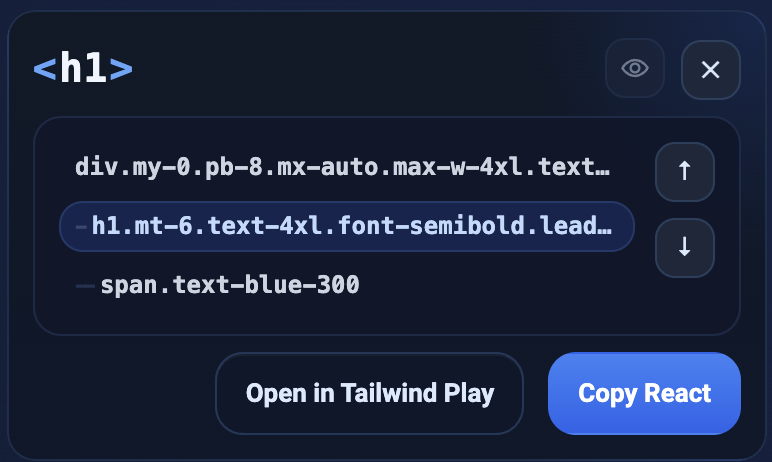
Select the exact fragment
Navigate the web page until the capture matches the boundary you actually want to reuse.
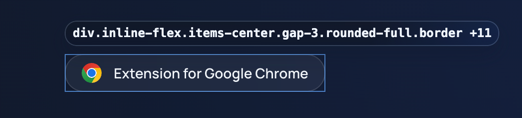
Export plain Tailwind output
Tailfind turns the selected fragment into readable Tailwind CSS you can refine instead of rebuilding from scratch.

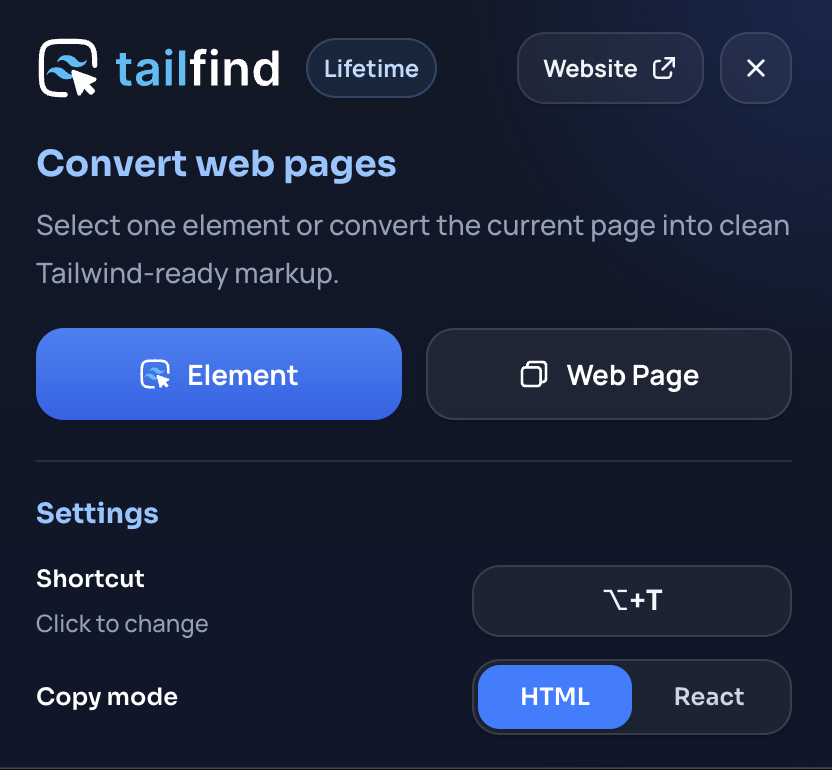
Start capture from the extension popover
Pick an element to inspect, copy the whole page body, and configure the extension to match your workflow.
AI learned algorithm
Handles complex UI elements
- Supports any codebase
- Works across legacy frontends, modern component apps, and mixed production stacks without requiring a specific framework or styling setup.
- Combines all styles
- Reads authored classes and inline declarations together instead of treating them separately.
- Tailwind to Tailwind
- When the source already uses Tailwind, the output stays Tailwind-native and easier to refine.
- Supports SVG
- Inline vector graphics stay intact so icons, logos, and illustrations survive export.
- Removes redundant noise
- Keeps the generated markup focused by avoiding repetitive wrappers, duplicate declarations, and low-value styling clutter.
- Understands obfuscated markup
- Works with production pages where class names are compressed, generated, or not useful as a source of truth.
Tailfind use cases
Use the browser as the source of truth
Tailfind helps when the real interface already exists and you need a faster way to turn it into editable Tailwind CSS.
- Legacy UI rewrites
- Use the shipped product as your reference, capture the exact block you need, and start the rewrite from real structure instead of screenshots and guesswork.
- Best UI input for AI
- Give AI clean Tailwind utilities instead of rough markup or screenshots, and get AI-generated code that lands much closer to the final result.
- Design is a code-first process
- When the browser is the most accurate design source, Tailfind lets you inspect the implementation itself and turn it into an editable Tailwind baseline.
- Prototyping from live interfaces
- Start from a real pattern already working in the browser, then remix the exported HTML in Tailwind Play or in your codebase without beginning from an empty file.
Useful for developers who use frontend frameworks like
Save your time
Try before you buy
Use the free trial in your own development task, then keep the extension forever when it becomes part of your workflow.
Trial
Free 5 copies
Capture 5 page fragments for free and see how the exported HTML fits you
- 5 trial copies
- Any website capture
- Contact support
- Tailwind CSS
Lifetime Access
$24USD
Pay once, keep Tailfind for the long run, and get every future update.
- All Trial features
- Unlimited copies
- Future extension updates
- AI learned algorithm
- React output support
14 days refund
Everything you need to know
Frequently asked questions
- What does Tailfind actually copy?
- A selected page fragment exported as plain Tailwind CSS for studying, prototyping, or rebuilding UI faster.
- Does it work with my framework?
- Yes. The output is regular HTML with Tailwind utilities, so you can paste it into Angular, React, Vue, Svelte, or a mixed frontend.
- Will it preserve complex styling?
- It combines authored classes and inline styles, then converts the selected result into portable Tailwind markup.
- Can I try it before buying?
- Yes. The free trial includes limited copies. Lifetime Access removes the copy limit and includes future extension updates.
- Does it work on any website?
- It is built for visible interface fragments in Chrome and works best when you can select the element directly.
- Can I copy a whole page instead of one element?
- Yes. Use 'Web Page' copy for larger captures, or element selection when you need a tighter fragment.
Tailfind already handles real-world cases
And keeps improving with AI
Dense markup, legacy CSS, and unusual components are not a problem for Tailfind. It removes the repetitive part first, so you start from real structure instead of rebuilding the layout by hand.
Contact support
If you are not happy with your purchase, you found an issue with Tailfind, or you have a question, please contact us at support@tailfind.org